
Free
Try it on real profiles
₹0forever
- Three whole profiles or boards
- Every single pin, any time
- Original size, videos as mp4
- No sign-up, no card
A Chrome and Brave extension for building your own reference library. Open a profile or a board, press Download, and the images arrive in their original size and the videos as mp4, in a folder for each board.
Also for  Instagram: IG Mass Media Downloader →
  TikTok: TT Mass Media Downloader →
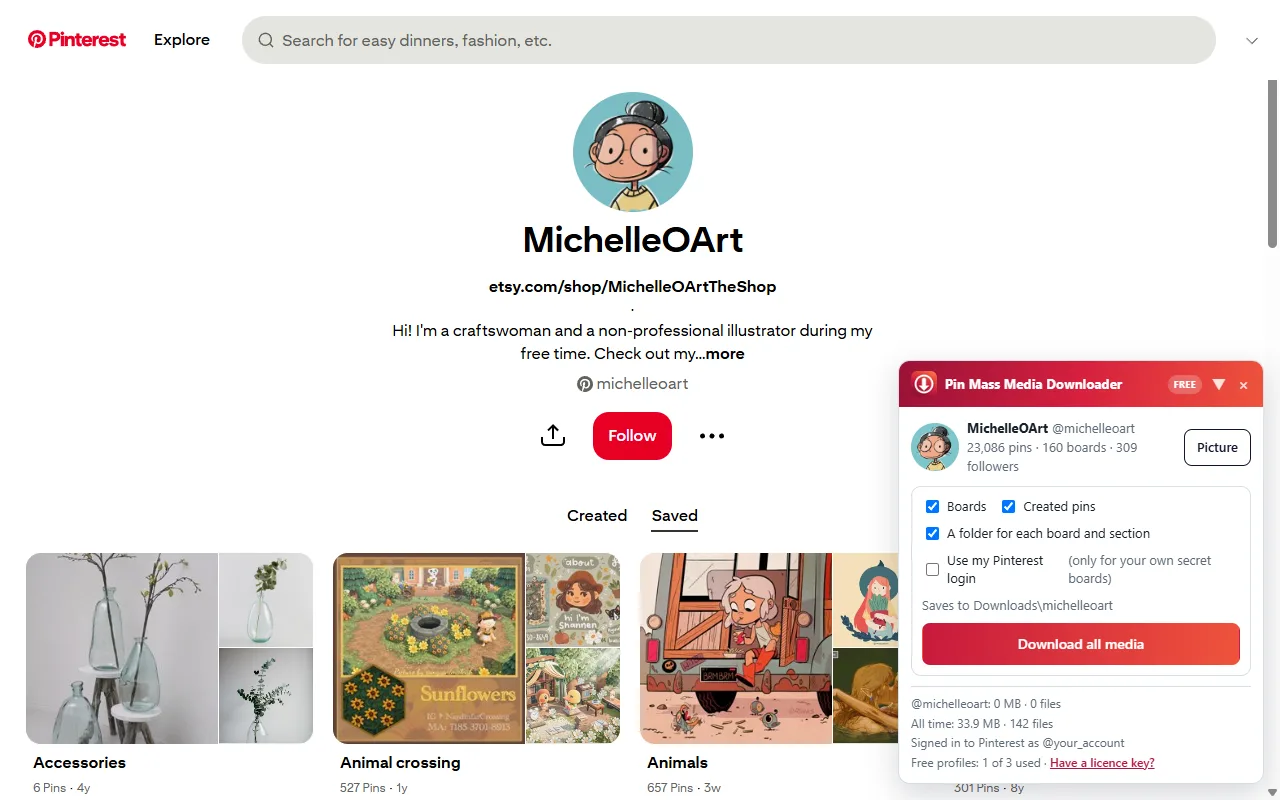
IG Mass Media Downloader saves every post, reel, story and highlight of an Instagram profile, in the best quality Instagram has, into one folder. Three profiles free, single posts always free.
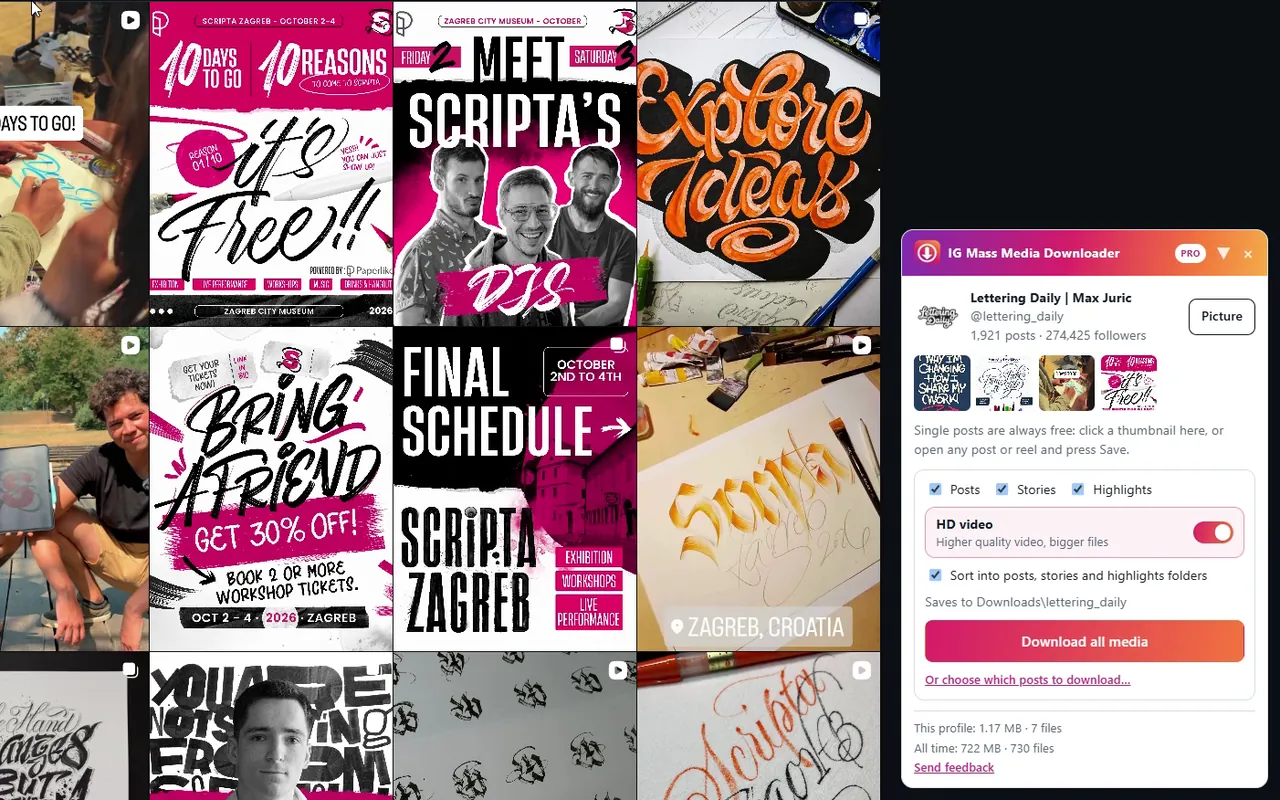
TT Mass Media Downloader saves every video and photo post of a TikTok profile in the best quality TikTok serves, without the watermark, into one folder. Three profiles free, single posts always free.
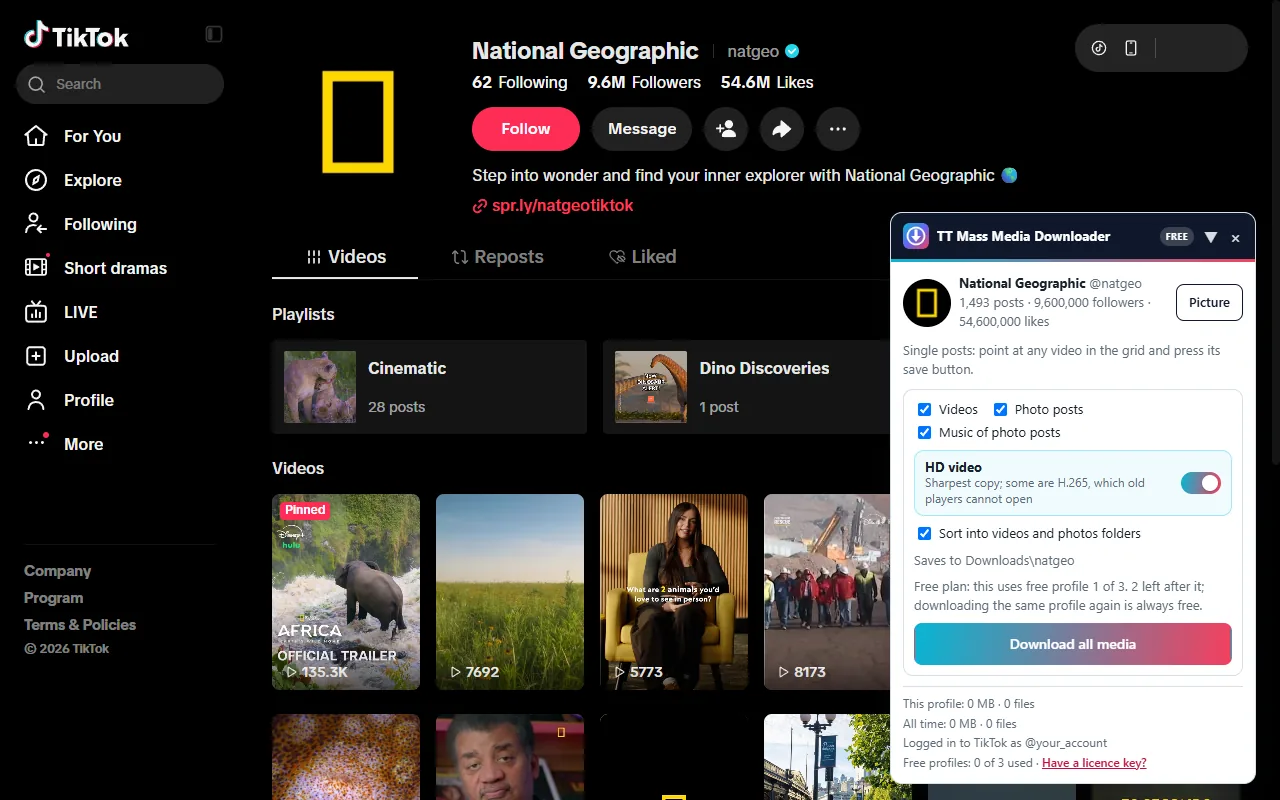
Not thumbnails: the images at the size they were uploaded, the videos as mp4, a folder for each board.
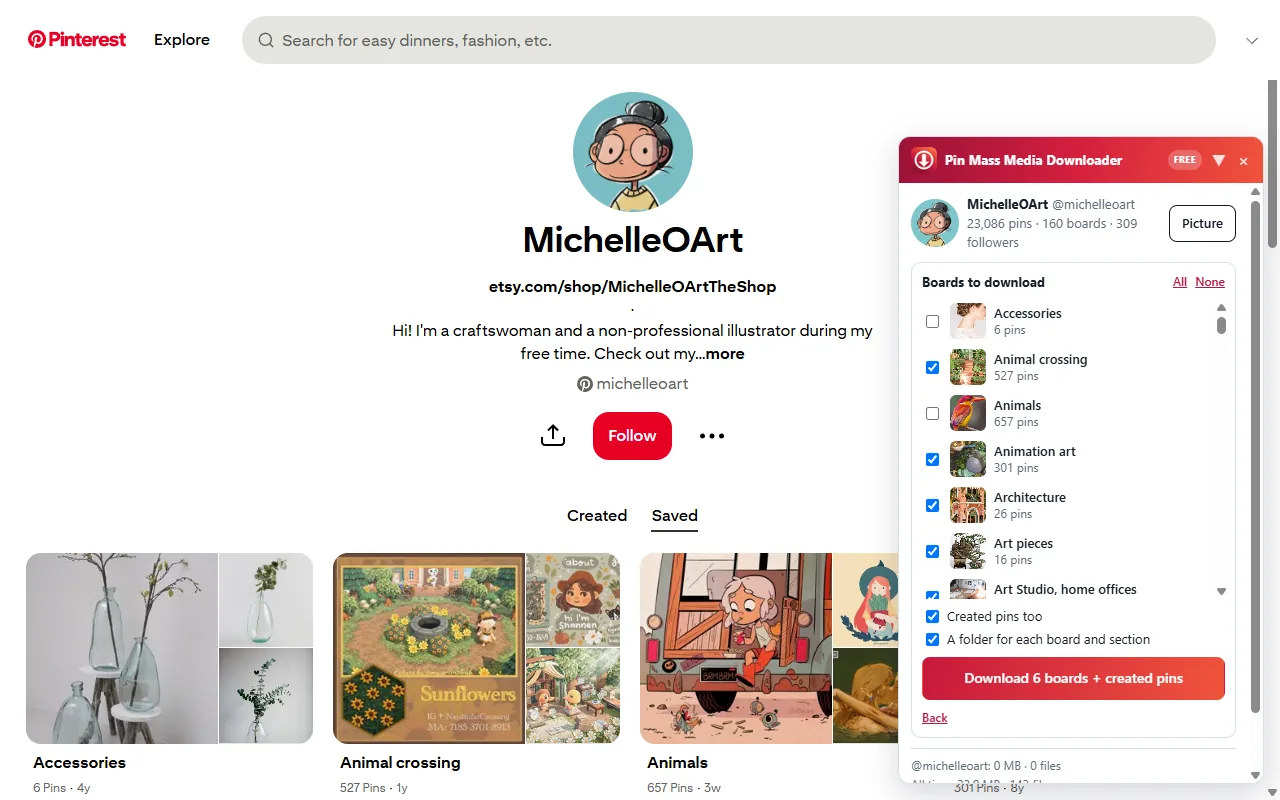
Every board and its sections, plus the pins the profile created. Or tick only the boards you want.
Open it and press Download this board. Sections go into their own folders.
Press Save on its page, or point at any pin in a grid and press the round save button. Always free.
Images at the size they were uploaded, idea-pin videos merged into one mp4, every page of a multi-page pin.
The panel says how many files a download holds, roughly how long it takes, and which free profile it uses.
Stop any time. The next run skips what you already have and finishes the rest.
Download all lists the boards first, every one ticked. Untick what you do not want, or keep the lot; the pins the profile created come along too.
Each pin is saved under its id inside its board and section, so the folder mirrors the profile and stays easy to browse and to back up.
Downloads\<profile>\
  boards\<board>\<pin id>.jpg
  boards\<board>\<section>\<pin id>.jpg
  created\<pin id>.mp4
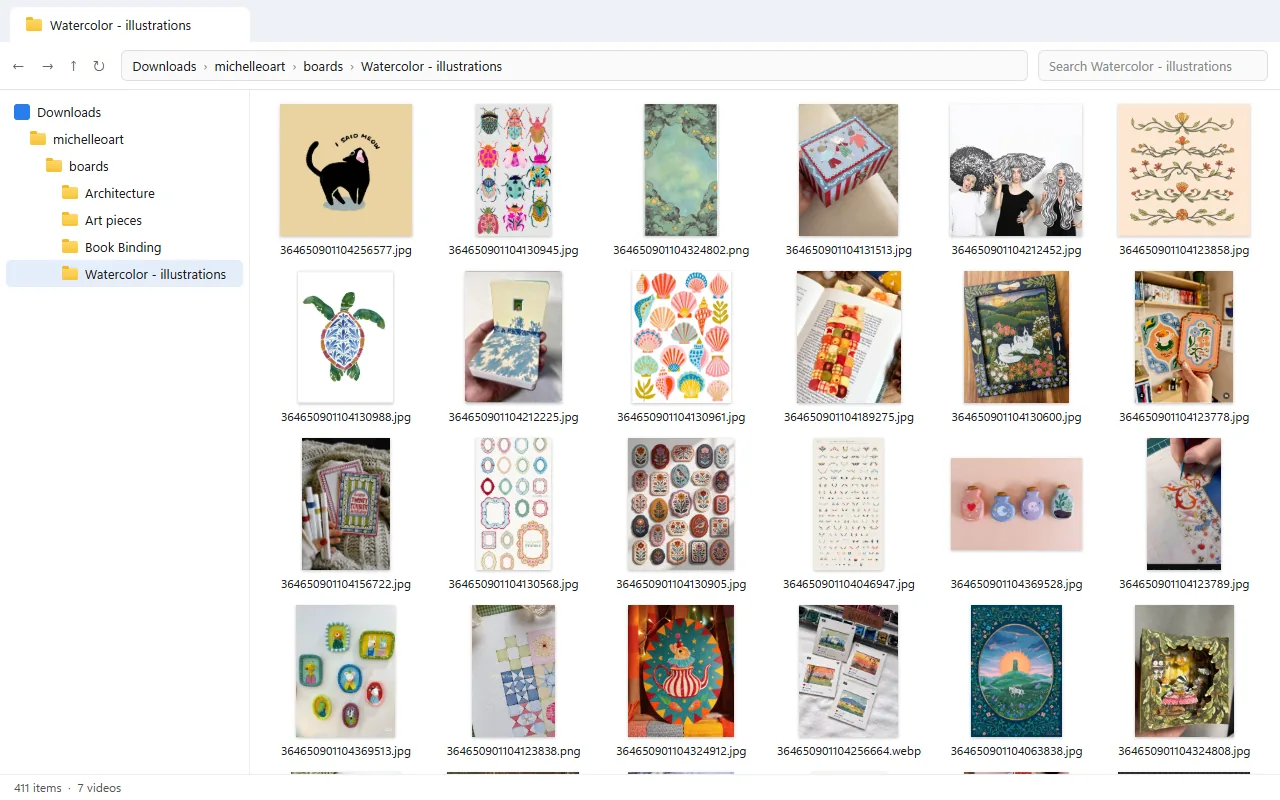
A single pin, the board list, a run, and a stop that carries on later.
Any public Pinterest profile or board, signed in or not. The panel appears in the corner.
Keep them all ticked, or untick the ones you do not want. Created pins too, if you like.
Files land in your Downloads folder, a folder per board. Switch tabs or minimise; it keeps going.
Three profiles and every single pin are free, with no account or card. Pay only when you want unlimited profiles.
Try it on real profiles
Pay once, keep it
For a busy month
Outside India: US$29 once or US$6 a month on Gumroad, by card or PayPal. Rupees by card, UPI or netbanking in India. A licence key works in one extension only.
For single pins, no. For whole profiles and boards you need to be signed in to Pinterest in the browser, because the three free profiles are counted per Pinterest account. Your login is still not sent with the downloads.
Into your browser's Downloads folder, in a folder named after the profile, with a folder for each board and section.
The extension reads what anyone can see on Pinterest, without your login by default, at a human pace with breaks, and it stops if Pinterest keeps asking it to slow down. No tool can promise Pinterest will never object; this one is built to back off.
Tick "Use my Pinterest login" in the panel, on your own profile. That is the only time the extension uses your login.
Open any Pinterest profile or board, press "Have a licence key?" in the panel, paste the key and press Activate. Lost it? The licence page brings it back with your payment id.
See the privacy policy: the plan check, and anonymous usage statistics (counts, times and errors; never which profiles or pins you download).